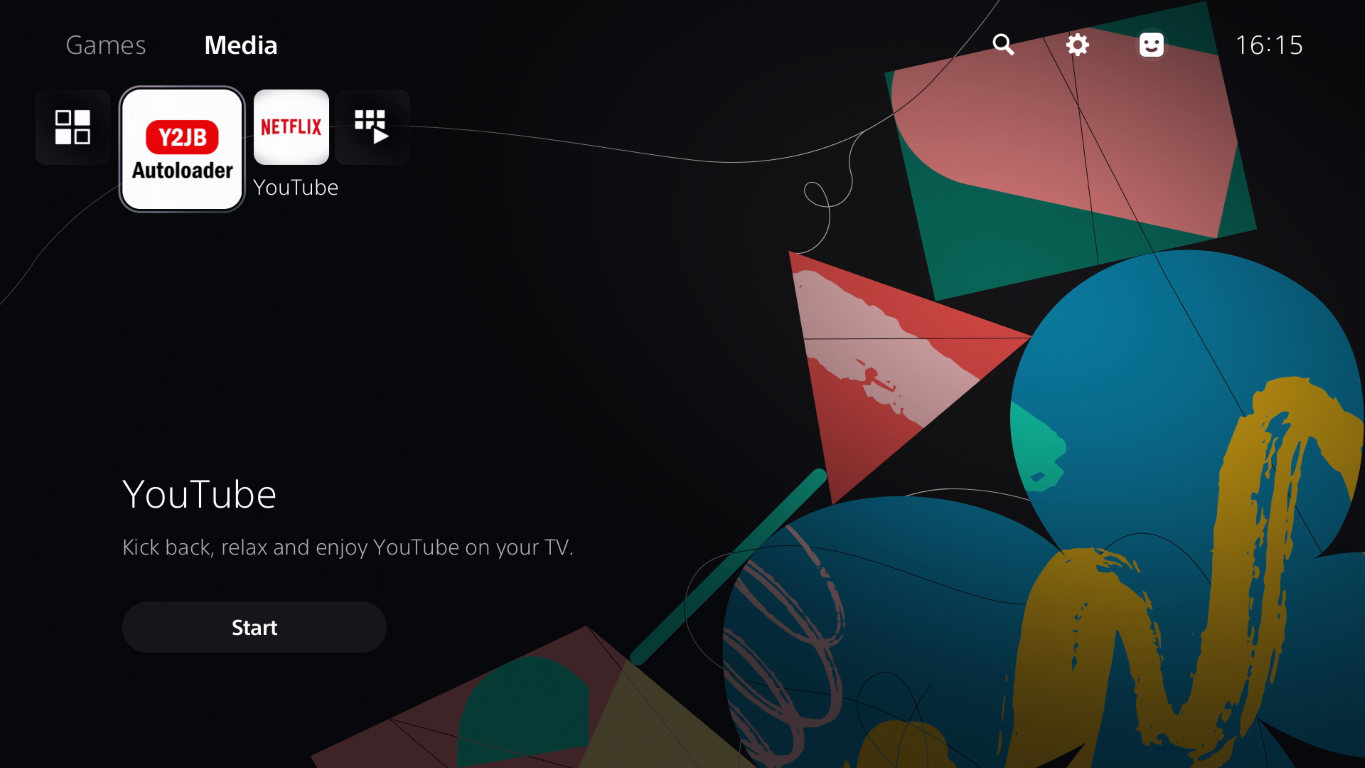
In this video I demonstrate the YTJB jailbreak which replaces the YouTube app and runs the exploit when the app is launched. This jailbreak is compatible with PS5s running system software 10.01 or lower.
Checking your PS5 system software version is an important prerequisite for determining if your PS5 is eligible for jailbreak. Watch our video or read this short guide and we’ll show you step by step how to check your system software version.
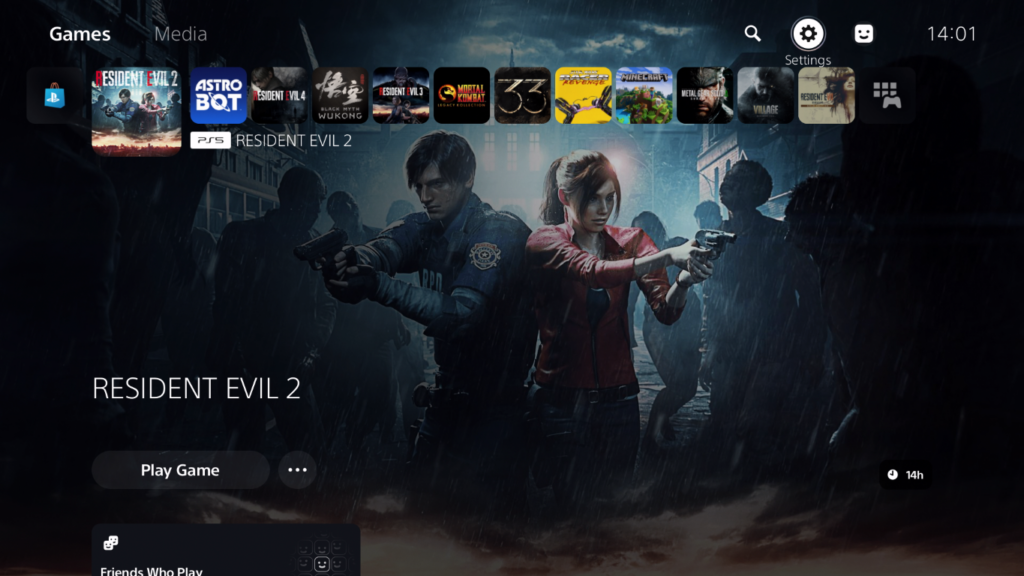
From the dashboard, choose Settings in the top-right corner.
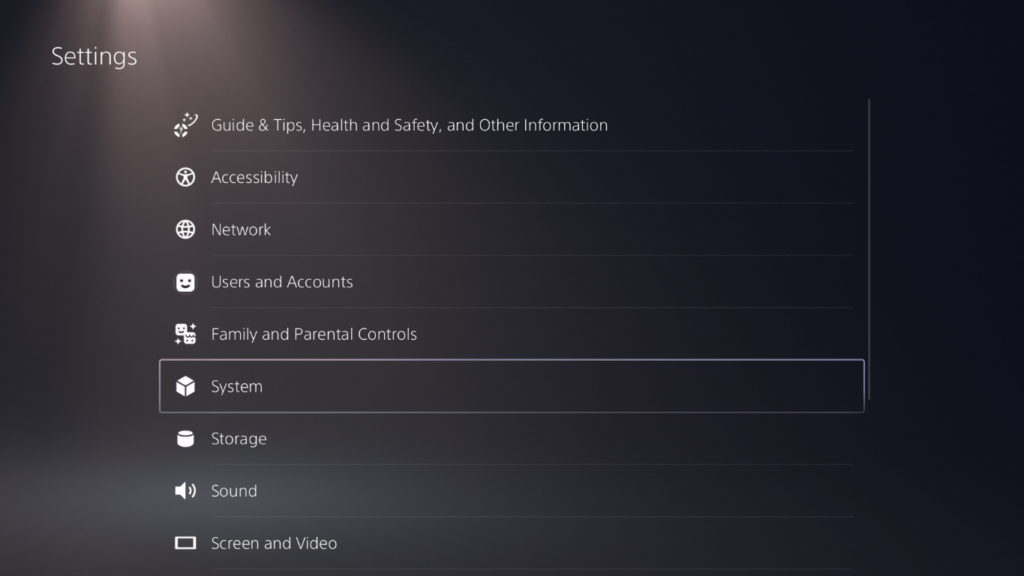
In the next menu choose System.
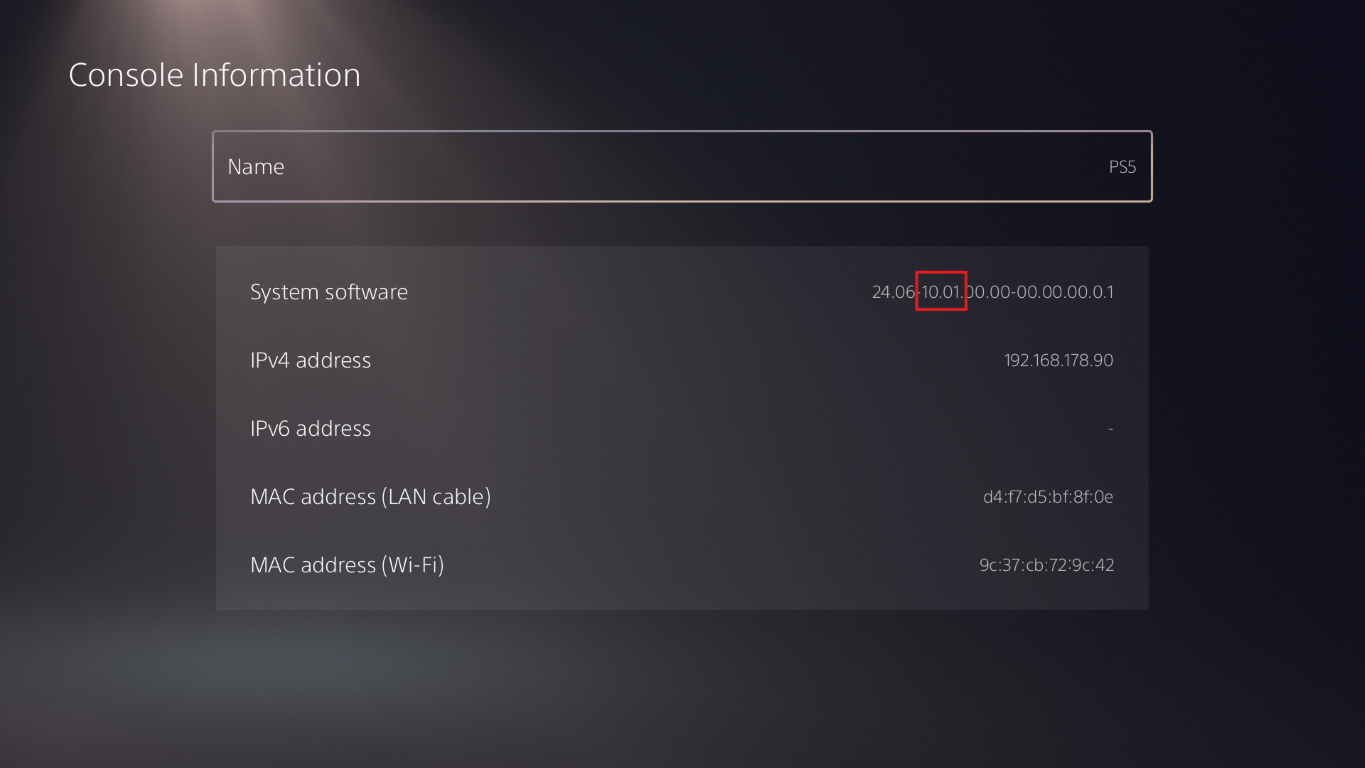
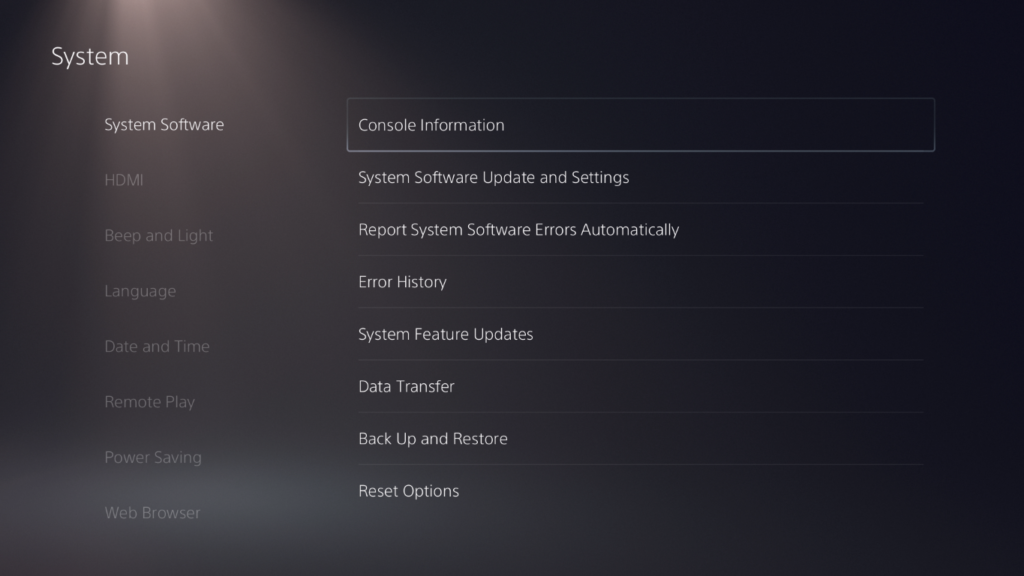
Next choose System Software and then Console Information.
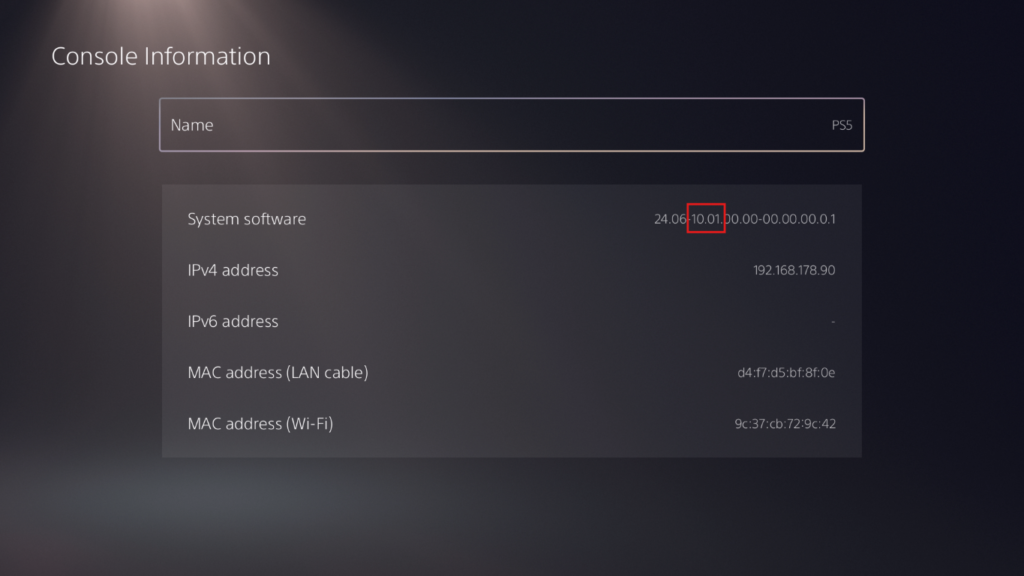
On this screen you’ll find your PS5 system software version, in my case the system software version is 10.01 which is eligible for YTJB or Netflix-N-Hack jailbreak.